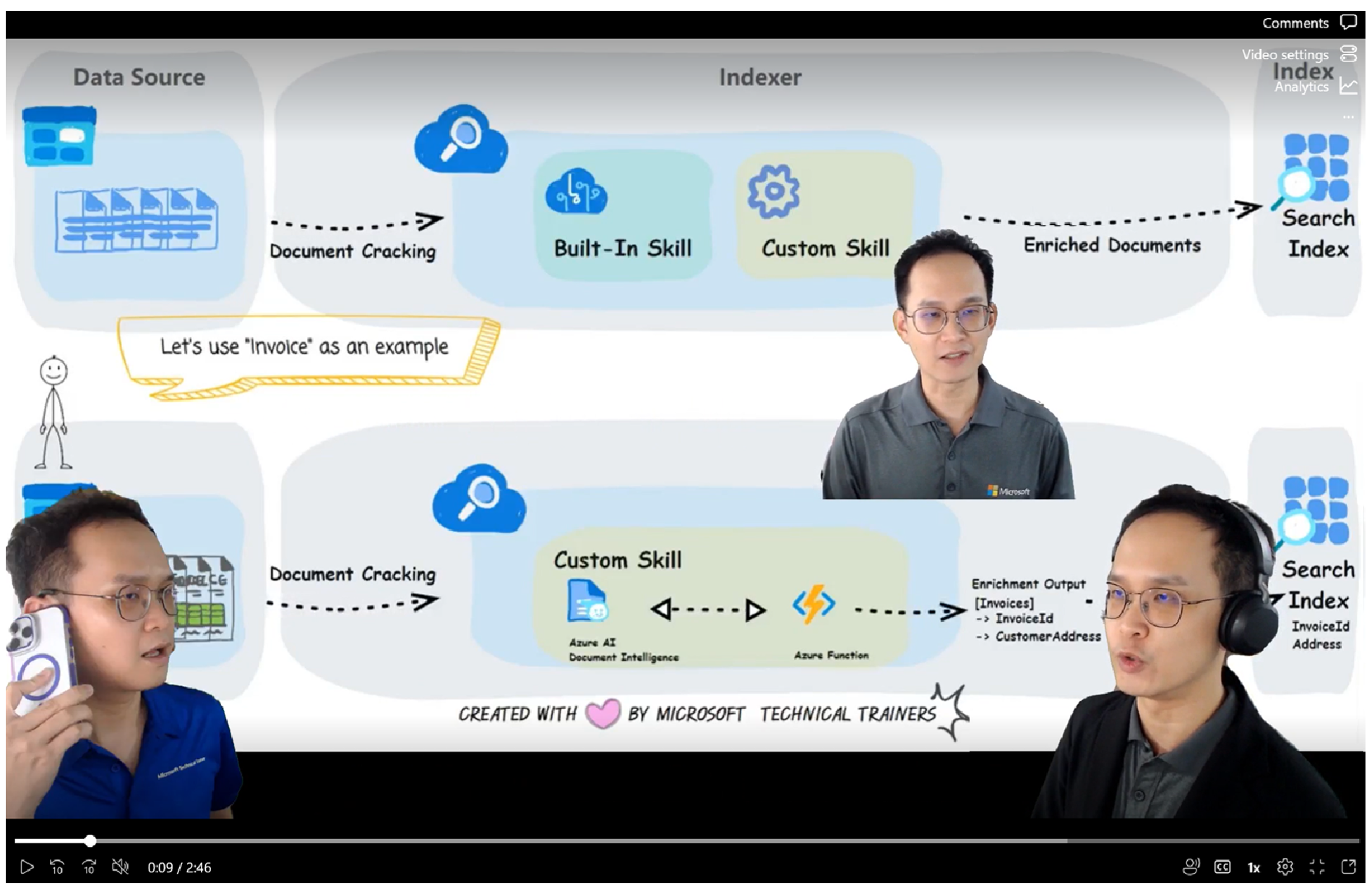
Azure AI Search - Custom Skill
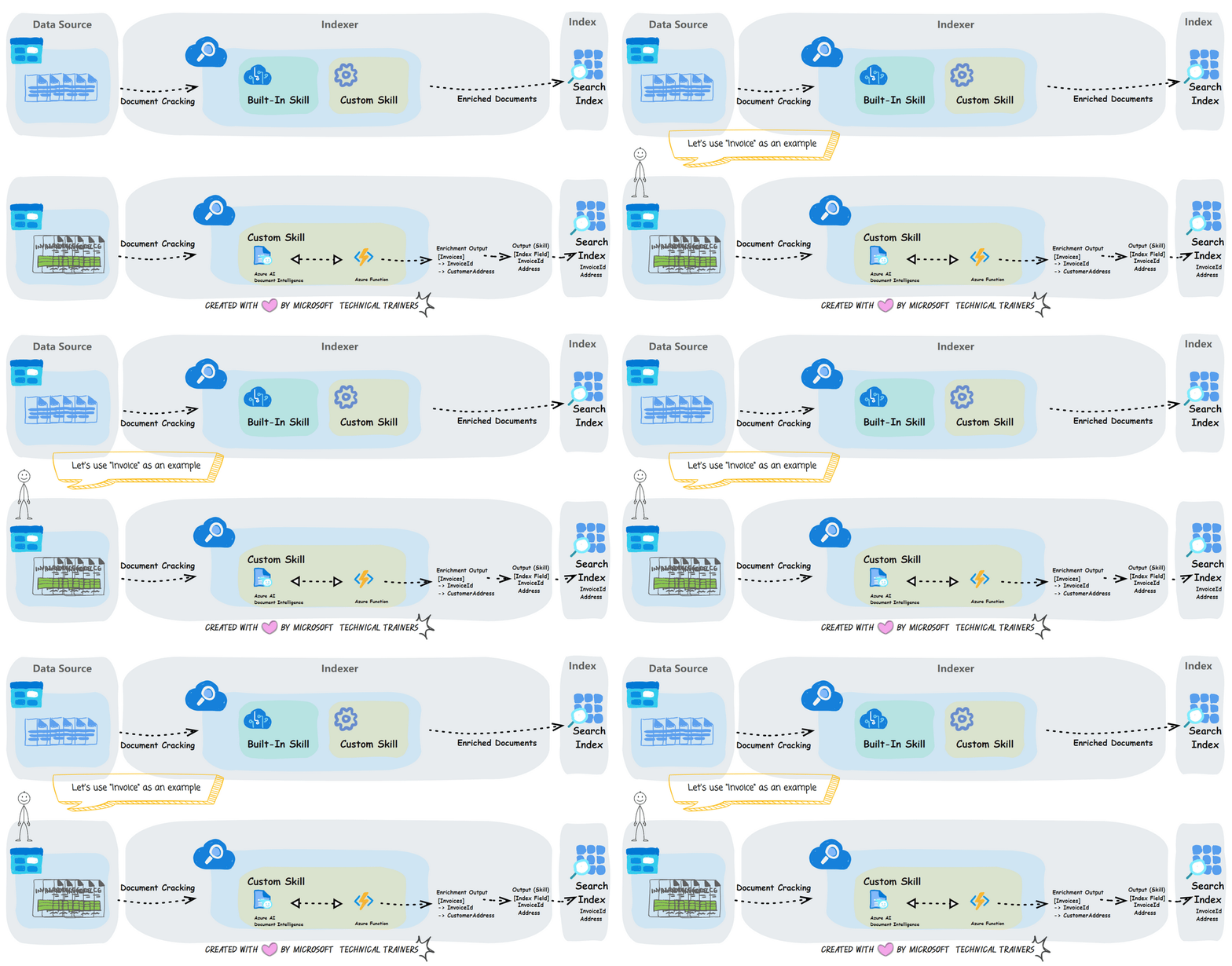
Azure AI Search empowers us to create custom search engines and enhances document discoverability using AI-powered capabilities. By leveraging built-in AI skills, Azure AI Search enables efficient information extraction, while also allowing you to integrate custom skills for tailored solutions. This guide provides a comprehensive overview of the Azure AI Search architecture and a step-by-step walkthrough for implementation. As a practical example, it demonstrates how to set up a search solution for invoice documents.
Implementation Steps
- 🚀 Upload the invoices to Azure Blob Storage : Store the invoice files in Azure Blob Storage as the source data.
- 📋 Document Cracking : Use Azure AI Search's document-cracking feature to extract the content and structure from the files in Blob Storage.
- ⛏️ Extract information using Custom Skills : Configure a skillset with Azure Function, which will call Azure AI Document Intelligence to extract key information from invoices, such as the invoice ID and customer address.
- 📝 Document Enrichment : The skillset enriches the extracted data, producing structured outputs, such as invoice IDs and customer addresses.
- 👁️ Index Creation : Create the index field (e.g., invoice IDs and customer addresses)
- 🔥 Search Usage : Users can search for documents in Azure AI Search by providing inputs such as the customer address or invoice ID to quickly locate the relevant invoices.
Azure AI Search is a powerful AI-driven solution that combines built-in and custom AI capabilities to make document content easily searchable and accessible, enabling efficient information retrieval and application.
Click the video below for recorded explanations by Vincent Kok.