Network Security Groups (NSG) and Application Security Groups (ASG) - 3 animations
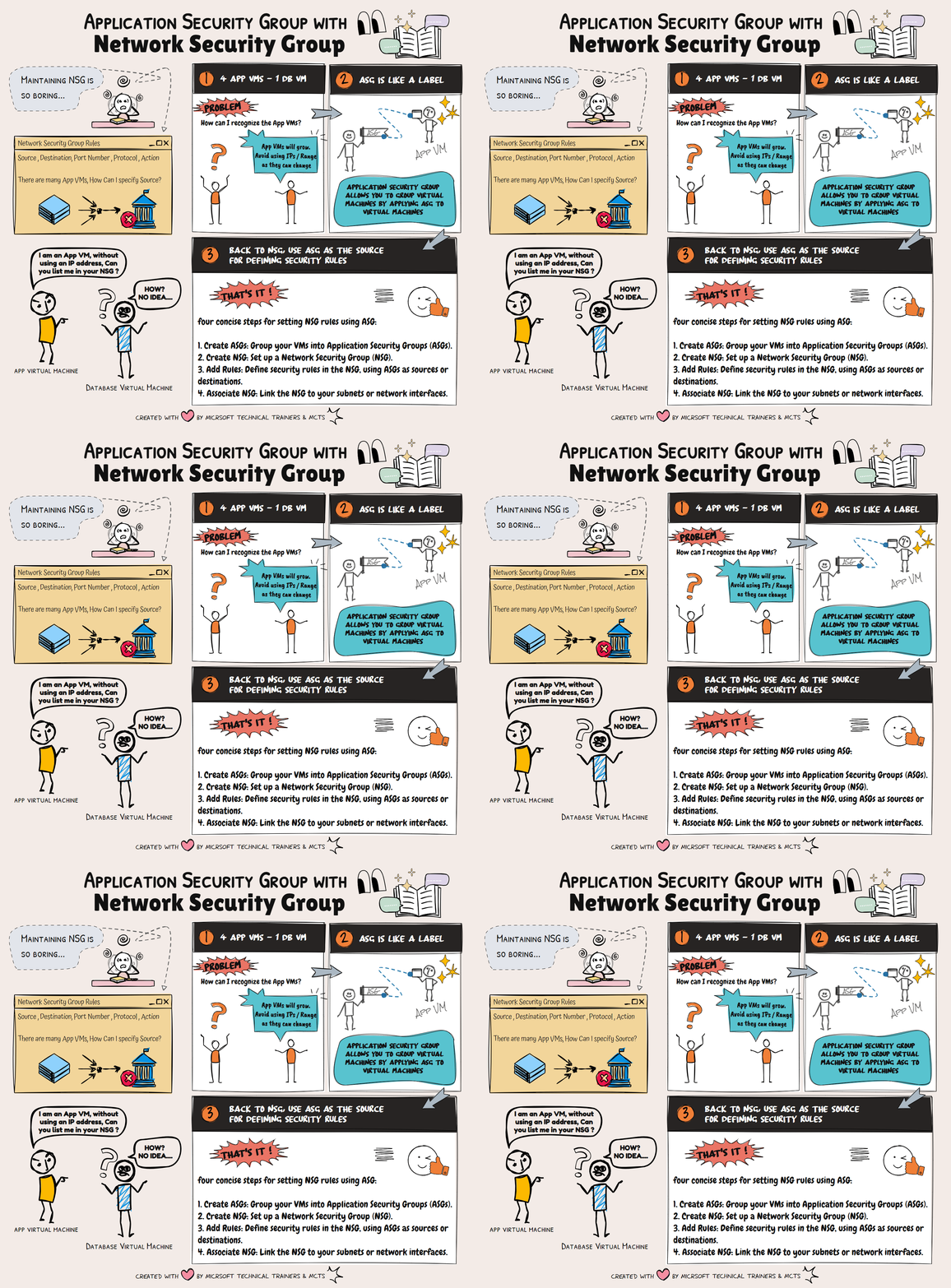
Network Security Groups (NSG) 🔒 NSGs are used to filter network traffic to and from Azure resources within a Virtual Network (VNet). They contain security rules that allow or deny inbound and outbound traffic based on IP addresses, ports, and protocols. NSGs can be associated with subnets or individual network interfaces (NICs), providing granular control over network security.
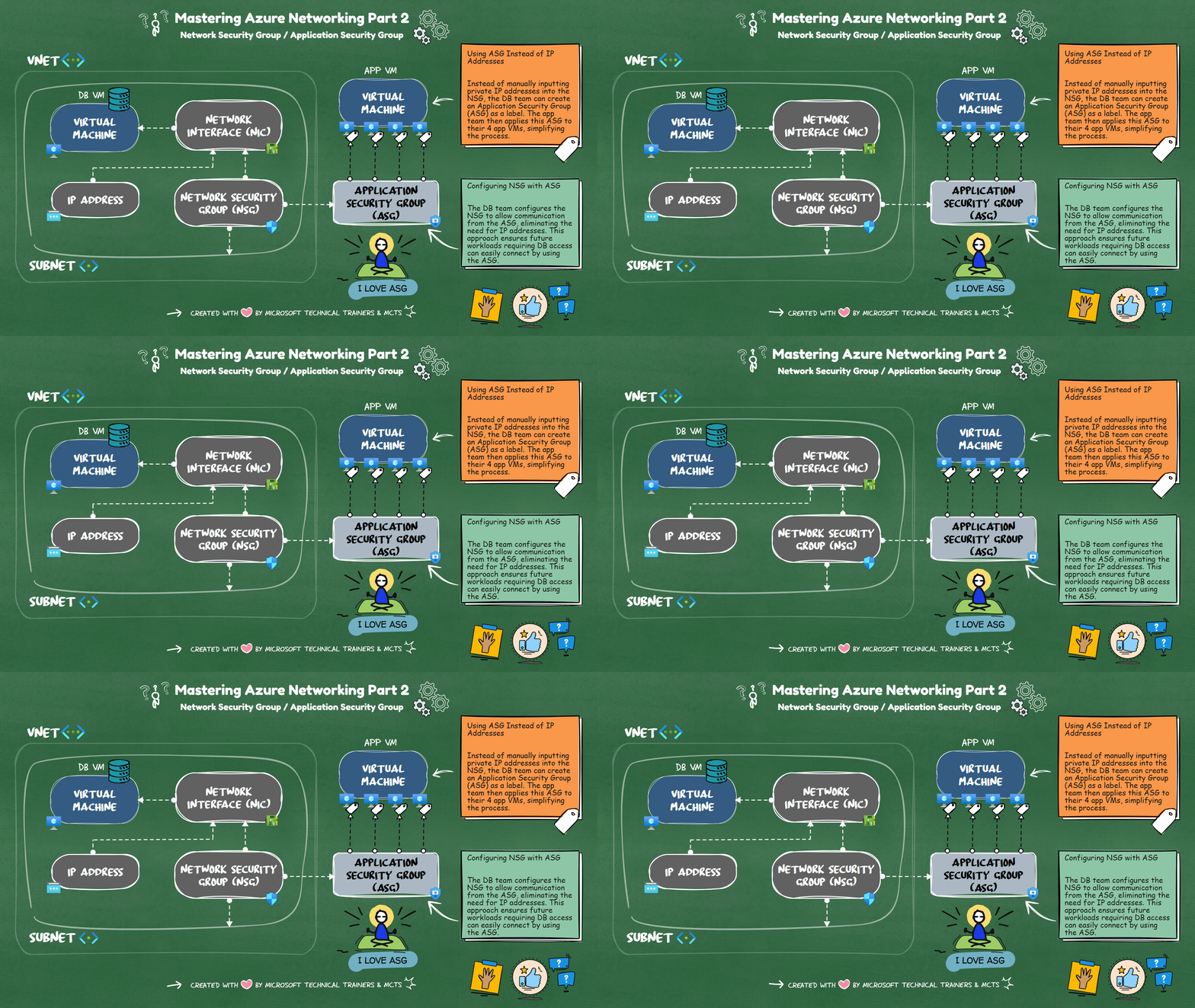
Application Security Groups (ASG) 🏷️ ASGs simplify the management of NSGs by allowing you to group VMs and define network security policies based on these groups. Instead of manually inputting private IP addresses into the NSG, you can create an ASG as a label. The app team can then apply this ASG to their VMs, streamlining the process.
Scenario: Simplifying NSG Management with ASG Imagine a DB VM in Azure sitting privately in one VNet. Four app VMs from other VNets need to connect to this DB VM. Instead of inputting all the private IP addresses into the NSG, the DB team can create an ASG. The app team applies this ASG to their VMs. Finally, the DB team configures the NSG to allow communication from the ASG, eliminating the need for IP addresses and simplifying future workload management.
By using ASGs, you can efficiently manage network security and reduce the complexity of maintaining NSG rules.
Implementing NSG Rules with ASG
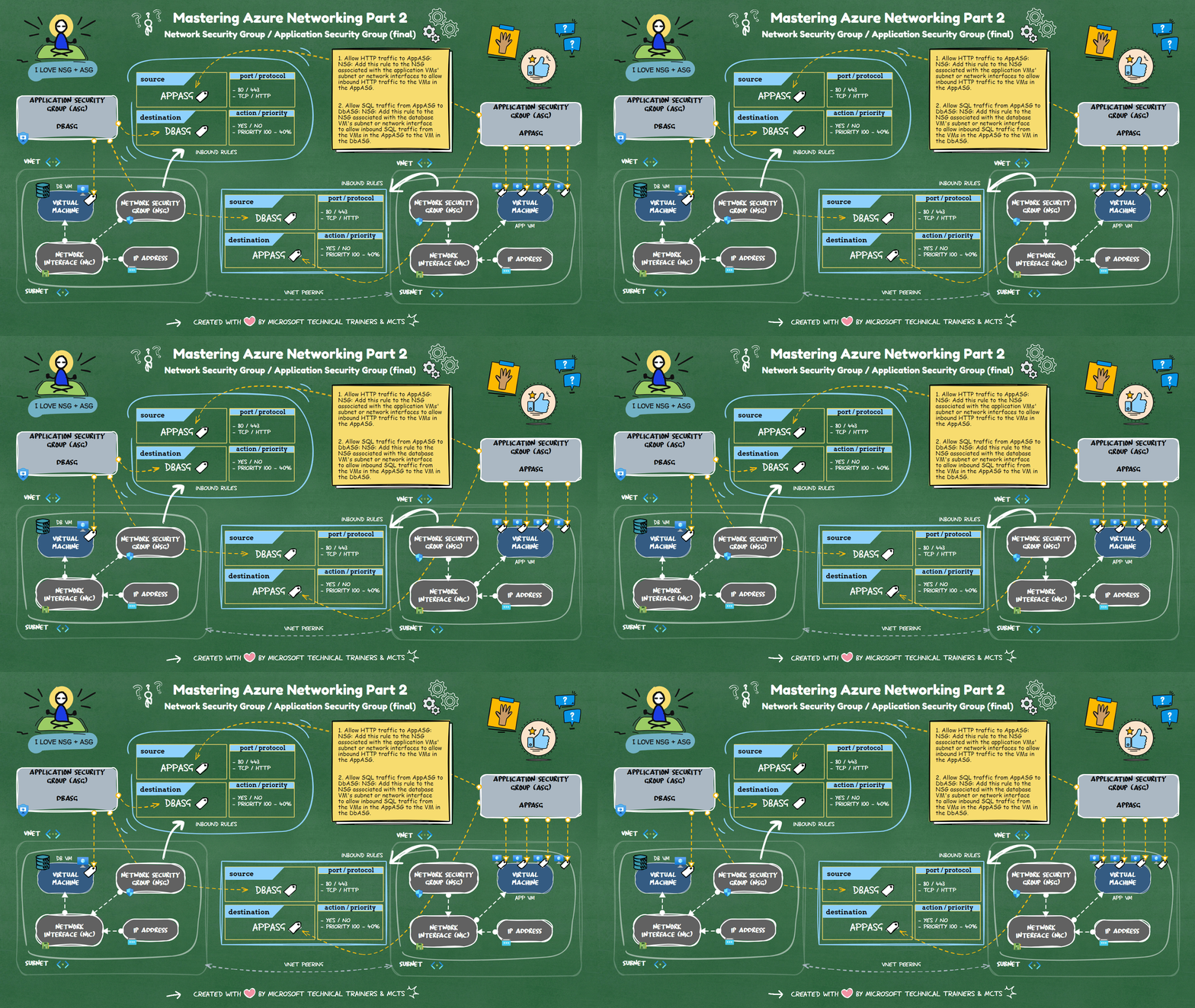
Scenario: 1 DB VM and 4 App VMs
📂 ASGs
- DbASG: Group for the database VM.
- AppASG: Group for the four application VMs.
🔒 NSG Rules
-
Allow HTTP traffic to
AppASG:- NSG: Add this rule to the NSG associated with the application VMs' subnet or network interfaces.
- Purpose: It allows inbound HTTP traffic to the VMs in the
AppASG.
-
Allow SQL traffic from
AppASGtoDbASG:- NSG: Add this rule to the NSG associated with the database VM's subnet or network interface.
- Purpose: It allows inbound SQL traffic from the VMs in the
AppASGto the VM in theDbASG.
This setup ensures that your application VMs can receive HTTP traffic and communicate with the database VM over SQL.
The final implementation of the inbound rules based in the above scenario will be illustrated in the animation below