App Service Overview
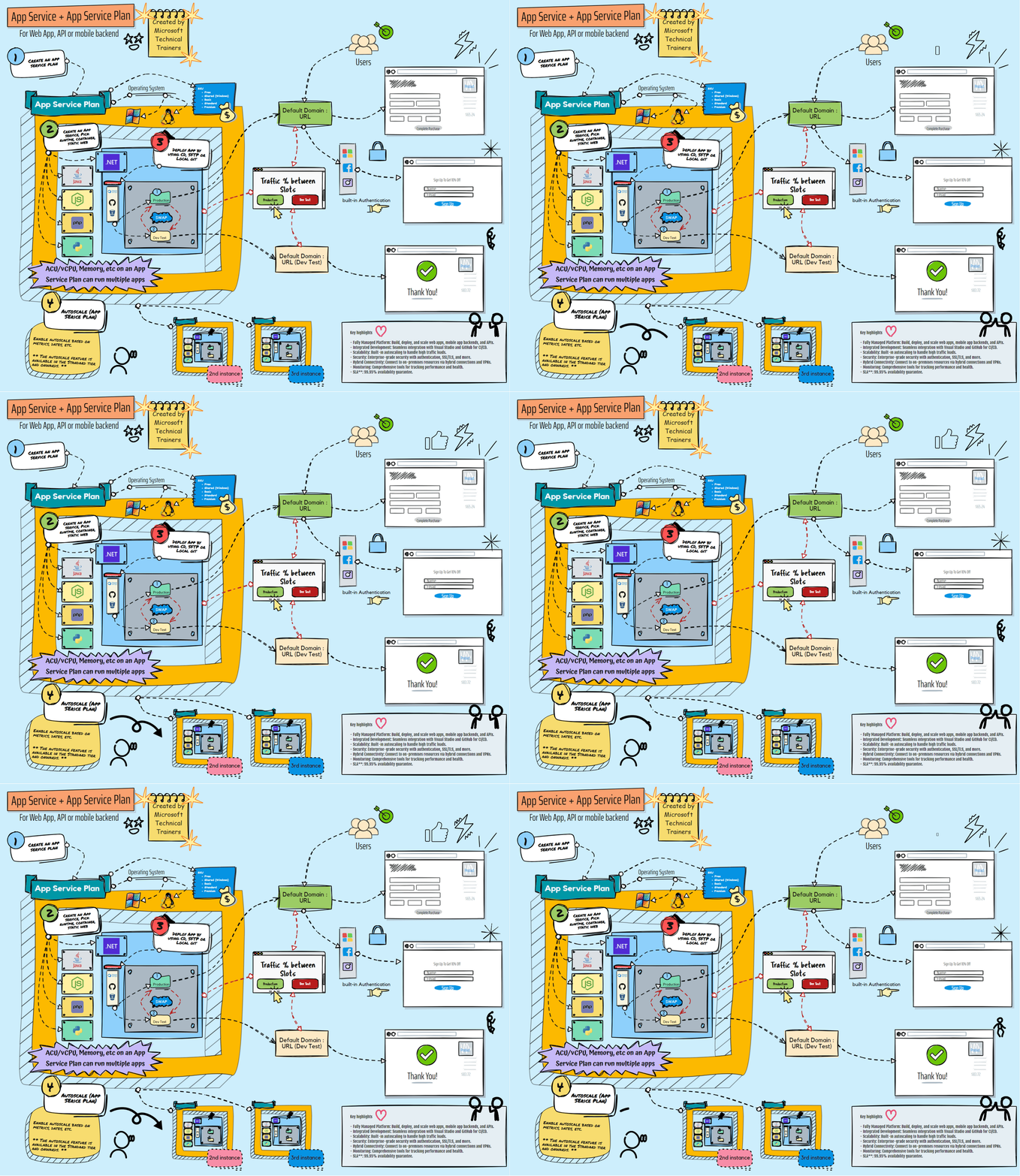
Above illustrates the process of using Azure App Service. We start by provisioning the App Service and App Service Plan. Here's a step-by-step breakdown:
-
🚀 App Service & App Service Plan
- App Service: A fully managed platform for building, deploying, and scaling web apps.
- App Service Plan: Defines the region, number of instances, and pricing tier for your App Service.
-
📈 Autoscaling
- Autoscaling: Automatically adjusts the number of instances based on demand to ensure optimal performance and cost-efficiency.
-
🔄 Continuous Deployment
- Continuous Deployment: Seamlessly deploy updates from your favorite source control systems:
- Git: Version control system for tracking changes.
- GitHub: Hosting service for Git repositories.
- Azure DevOps: Comprehensive suite for DevOps practices.
- Bitbucket: Git repository management solution.
- Continuous Deployment: Seamlessly deploy updates from your favorite source control systems:
-
🔐 Authentication
- Built-in Authentication: Easily enable authentication using:
- Microsoft Account: Secure login with Microsoft credentials.
- Facebook: Social login with Facebook.
- Apple Account: Secure login with Apple ID.
- And more: Support for various other identity providers.
- Built-in Authentication: Easily enable authentication using:
-
🛡️ Security
- TLS/SSL: Ensure secure communication with Transport Layer Security (TLS) and Secure Sockets Layer (SSL) certificates.
-
🚀 Deployment Slots
- Deployment Slots: Create staging environments to test new versions before going live. Easily promote new versions with zero downtime.
-
🌐 Traffic Manager
- Traffic Manager: Distribute traffic across multiple instances and regions. Specify the percentage of traffic for each instance to manage load effectively.